
How to accept Bitcoin as a business in South Africa
Learn how to accept Bitcoin as a business in South Africa, from simple wallet setups to full crypto payment gateways. This is a guide for small and large businesses.

Perhaps a customer recently asked, “Do you accept Bitcoin?" Maybe you’ve looked into it and like the idea: it’s fast, the fees are low, and there are no chargebacks. Or perhaps someone brought it up at your weekend braai and now you’re curious.
Either way, you’re probably wondering: How do I actually start accepting Bitcoin payments as a business in South Africa?
In this guide, we break it down, from simple wallet-based setups to more advanced payment gateways. Whether you’re just starting out or need something scalable and automated, here’s how to get set up.
Two easy ways for businesses in SA to accept Bitcoin payments
Before we dive in, it’s worth mentioning that this section covers tools that are widely used and easy to adopt in South Africa - not the more advanced or self-hosted options.
Let’s look at each in more detail.
1. Best for individuals and small businesses: A Lightning wallet
If you’re a small business owner, freelancer, café, or one-person operation, the easiest way to get up and running is to use a Lightning wallet. It’s fast, free, and doesn’t require any complex setup.
As we covered in our 8 top wallets for paying in Bitcoin guide, a Lightning wallet is a special kind of wallet that lets you send and receive Bitcoin instantly with very low fees, making it ideal for day-to-day payments.
While all Lightning wallets let you receive Bitcoin, either by generating a QR code (known as a Lightning invoice, always denominated in BTC) or by sharing a Lightning address, not all of them are intuitive, merchant-friendly, or designed with the point of sale in mind.
During my testing (yes, I downloaded several wallets and played around), some made it easy to enter a rand amount and instantly generated a QR code on my phone that a customer would be able to scan with their corresponding Lightning wallet. Others were more limited.
For example, Phoenix didn’t let me enter a specific rand amount before generating a QR code. When tapping ‘Receive,’ it created a QR code with no value set, so if a customer scanned it, you’d have to tell them the BTC amount to enter manually.
By contrast, wallets like Wallet of Satoshi and Blink made the process more intuitive for real-world payments at checkout. When entering a rand amount (e.g. R500), the app automatically created a Lightning invoice for that value, ready for a customer to scan. If a customer scanned it, I would receive BTC to the value of R500.
Among the wallets I tested, Blink included the most relevant features geared toward small businesses and point-of-sale use. Let’s take a quick look at those now.
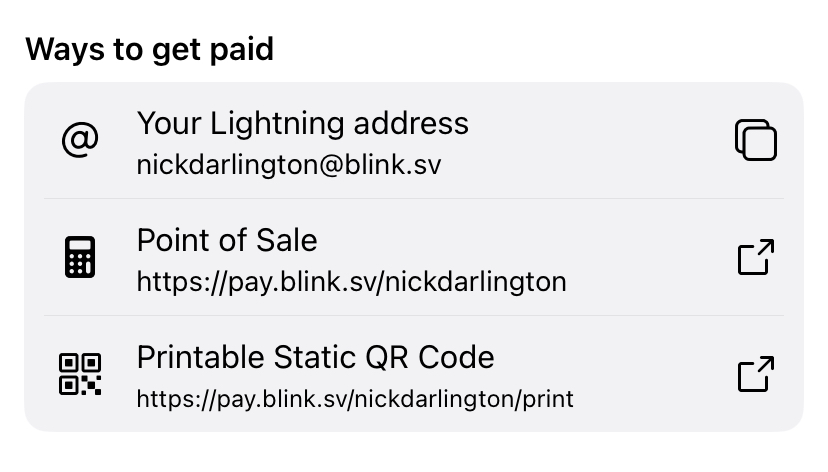
In the app’s Settings, there are multiple payment options, including Lightning addresses, a web POS link, and a static QR code.
Accepting Bitcoin payments with Blink
Your Lightning address
This is a permanent, email-like address (e.g. nickdarlington@blink.sv) that you can share with customers for online or repeat payments. It works across compatible Lightning wallets and is ideal for tips, donations, or invoices.
Bitcoin point of sale
In the Blink mobile app, you can input a rand amount and Blink will instantly generate a Lightning invoice, displayed as a QR code your customer can scan with their wallet. When they pay, you receive Bitcoin over the Lightning Network, settled instantly.
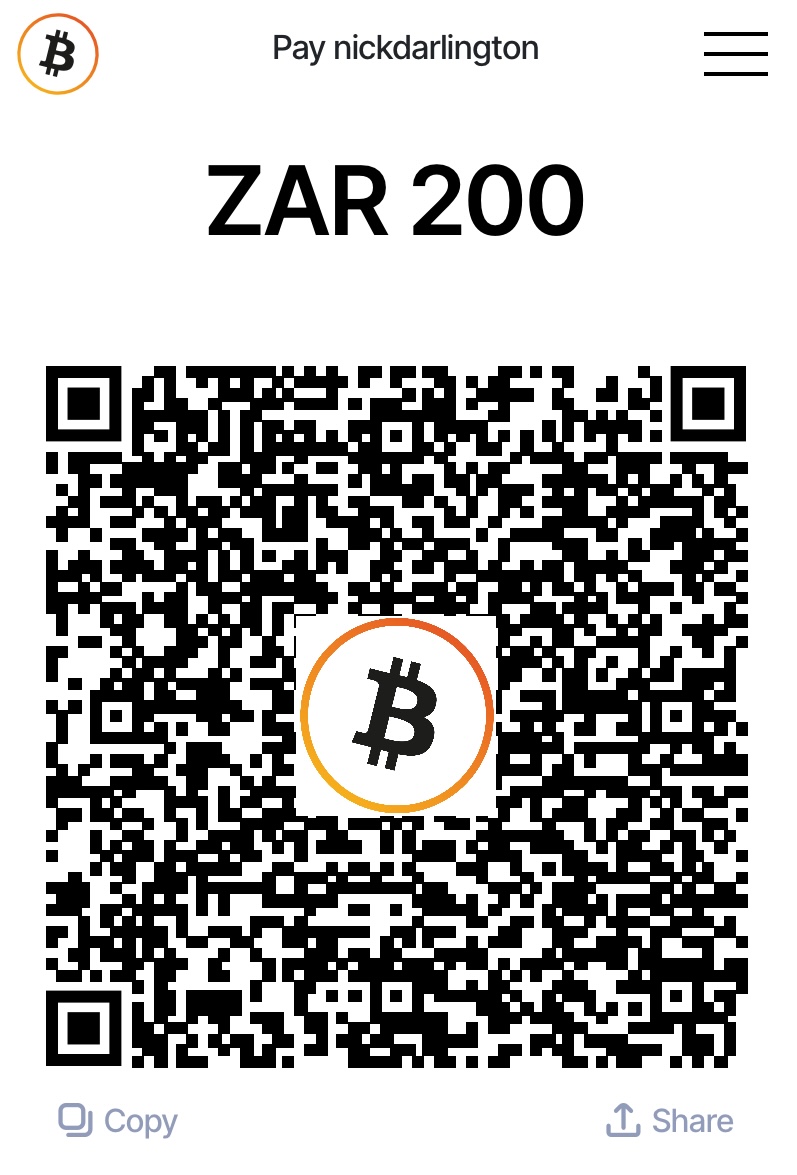
The cool thing here is that Blink also creates a dedicated web-based POS link tied to your account (e.g. https://pay.blink.sv/nickdarlington). You can open this link on any device with a browser, like a tablet at your checkout counter or the server’s phone. Simply enter the amount in rand, click “Create Invoice,” and present the QR code to the customer. It’s that simple.
Printable static QR code for Bitcoin payments
You can generate a hands-free pay code for repeat payments. The customer would scan the code and enter the desired amount to pay. It’s great for cafés, tip jars, front desks, security guards, or tour guides — just laminate it and wear it around your neck. You can also display it online for easy one-time or ongoing payments.
2. Best for larger operations: crypto payment gateways
As you may know, Pick n Pay now accepts Bitcoin (and other cryptocurrencies) nationwide, and they’re doing it through a crypto payment gateway.
Platforms like this are built for scale, designed to help businesses accept crypto without worrying about exchange rates, price volatility, wallet compatibility, or technical setup.
While they’re typically used by larger retailers or businesses with high transaction volume, they do work for any business that wants rand payouts and a more hands-off experience. According to Moneyweb, Story, a premium streetwear and sneaker store, uses a payment gateway to manage exchange rate fluctuations and simplify crypto acceptance.
If you’re looking for a streamlined way to accept Bitcoin and either get paid in rands or receive Bitcoin directly, South African options include MoneyBadger, FiveWest, and Stitch, which are great options both in-store and online payments.
Another solid option is Zapper. Although it’s not a crypto-first gateway, it enables Bitcoin acceptance more passively, via its integration with Luno Pay.
Here’s how it works: a customer using the Luno app scans the Zapper QR code, selects Bitcoin, and pays. Zapper and Luno handle everything in the background, and you receive the payment in rands, just like any other Zapper transaction. I've already tested this at various locations across Cape Town and the Winelands, including Lazari in Cape Town and Terbodore in Franschhoek.
With over 31,000 merchants already using Zapper in South Africa, this integration means a huge number of businesses now accept Bitcoin and other crypto without even realising it. So, if your business uses Zapper, or you’re setting it up for the first time, you’re likely already Bitcoin-ready.
Note: While this method makes it easy to accept Bitcoin payments, you don’t receive Bitcoin directly. Rather, the customer pays in Bitcoin, but you receive rands.
Tips to make the most of it
Bitcoin adoption in SA isn’t mainstream yet, so once you’re set up, it’s important to help your customers know they can pay with it:
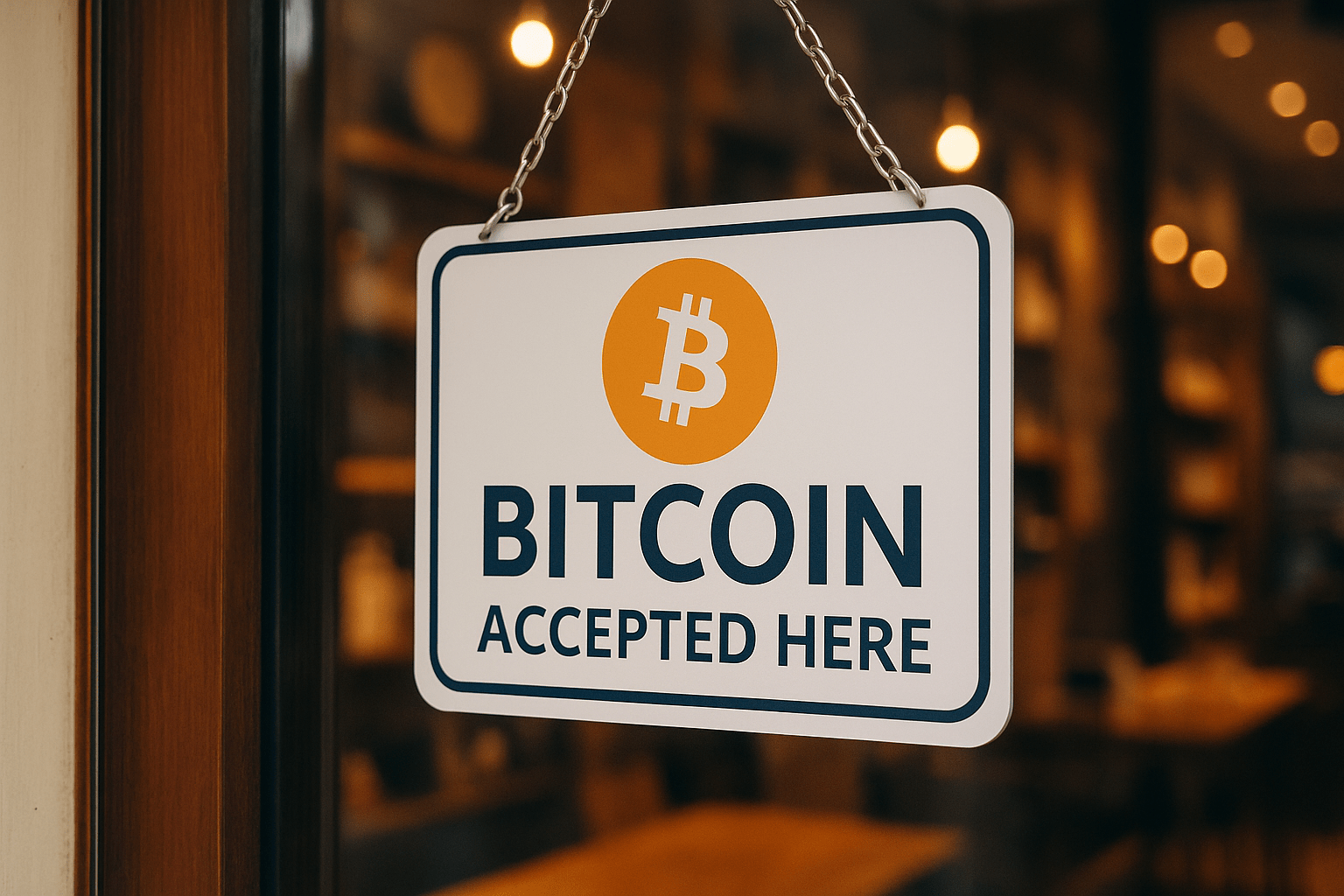
- Make it visible: Add “Bitcoin Accepted Here” signs near your till or online checkout so customers know they can pay in Bitcoin.
- List your business on BitcoinFriendlySA: Get discovered by local crypto users actively looking to spend their Bitcoin in South Africa and support merchants likes you.
- Train your staff: Make sure they’re comfortable using the POS, scanning QR codes, and explaining to customers that Bitcoin payments are final (once paid, they can’t be reversed).
- Offer a Bitcoin deal: Try offering a Bitcoin-only deal, like a discount or rebate, to encourage spending. You can promote it through your own channels or list it exclusively on BitcoinFriendlySA. If you’re listed with us, we’ll feature the deal on our Bitcoin Deals page and help get the word out to local crypto users.
Start accepting Bitcoin payments at your business today
Accepting Bitcoin payments as a business in South Africa doesn’t have to be complicated. Whether you’re running a small business or managing a growing chain, you can get started by either downloading a Lightning wallet or working with a payment gateway that handles everything for you.
And here’s the thing: Bitcoin adoption in South Africa may not be mainstream yet, but it’s already happening, and growing fast. If you start accepting Bitcoin now, you’re not just keeping up; you’re getting ahead. You’re positioning your business early, building visibility, and tapping into a growing customer base.
P.S. If you’d like to support my work, you can donate directly using the Bitcoin Lightning button below or send sats to nickdarlington@blink.sv from any Lightning wallet.

Stay updated on real-world Bitcoin adoption
Get the latest news, tips and updates on where to spend your Bitcoin and how to accept it at your business.

