
How to Pay with Bitcoin at Pick n Pay
Learn how to pay with Bitcoin at Pick n Pay using a Lightning wallet (direct or via MoneyBadger) or a crypto exchange wallet like Binance Pay or Luno.
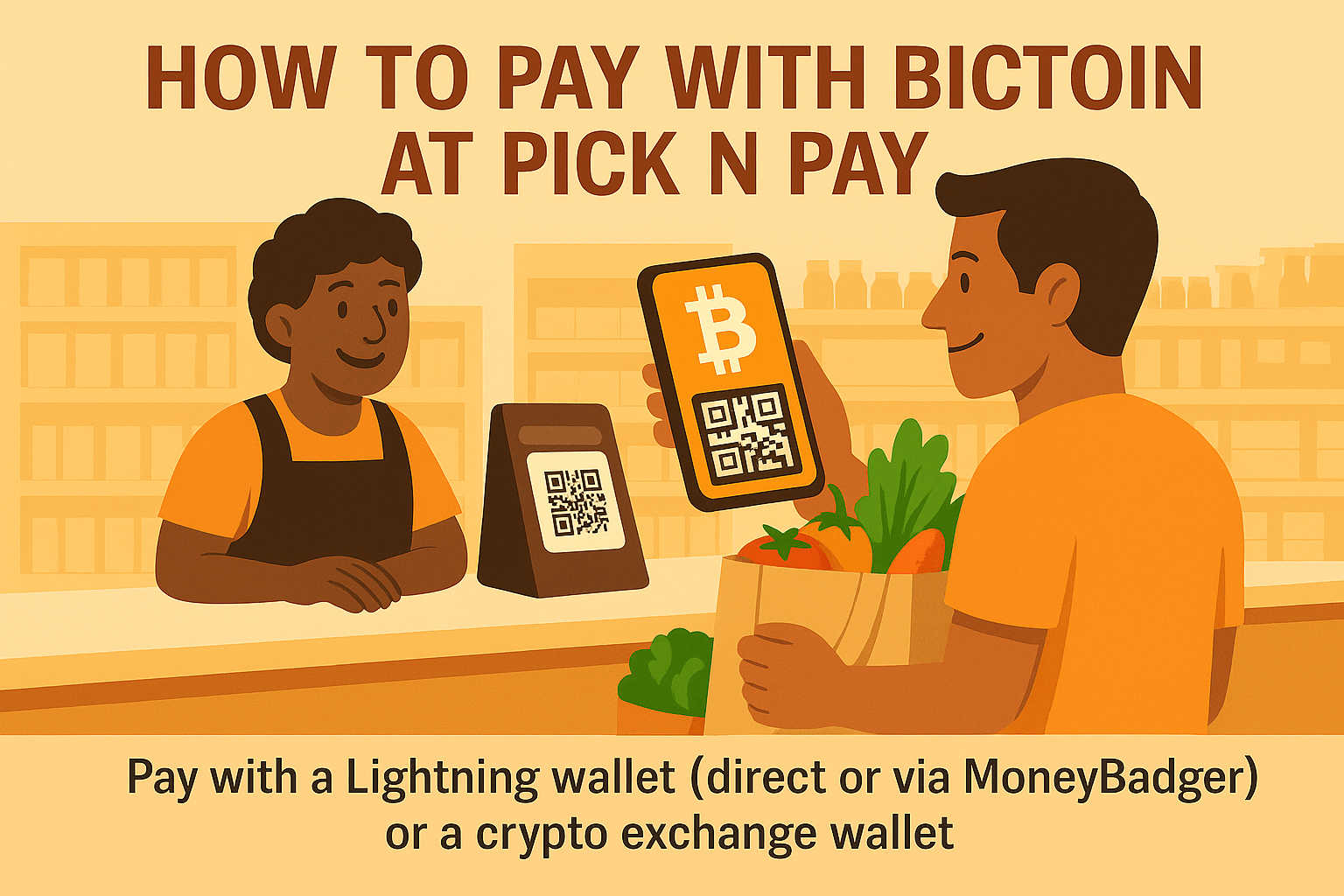

If you’re wondering how to pay with Bitcoin at Pick n Pay, here are your three options:
- Pay directly with a Lightning wallet by scanning the QR code at checkout and completing the Bitcoin payment in the app. This is currently supported by Blink, Blitz, and Aqua.
- Use the MoneyBadger app as a bridge to scan the QR code at checkout and complete the payment in any Lightning wallet. This is the option most Lightning users will rely on, since many wallets can’t scan SA QR codes natively.
- Pay via a crypto exchange wallet, such as Luno, VALR, or Binance. Pay by scanning the QR code and following the in-app prompts. These payments are custodial and processed through the exchange.
Let’s break down each of these options in more detail.
Option 1: Pay with Bitcoin at Pick n Pay using a Lightning wallet (Blink, Blitz, and Aqua)
How it works: Blink, Blitz, and Aqua can scan Pick n Pay’s QR code natively and complete the payment right inside the app.
Note: These wallets can do this because they have MoneyBadger’s QR support built in, so the payment just works without any extra apps or steps.
How to pay:
- Ask for the contactless QR code at checkout.
- Open your Lightning wallet (Blink, Blitz, and Aqua)
- Scan the QR code on the card machine
- Confirm the Bitcoin payment in your app. Once complete, you will see the till slip print.
Example: Ben buys a loaf of bread with Bitcoin at Pick n Pay Express using Blink:
Option 2: Pay with Bitcoin at Pick n Pay using any Lightning wallet + MoneyBadger
How it works: If you’re using a Lightning wallet that can’t scan the QR code directly, like Strike, Wallet of Satoshi, or Phoenix, you’ll need the MoneyBadger app to first scan the code and then complete payment in your Lightning wallet.
The MoneyBadger app is not a Bitcoin wallet but a QR code scanner that acts as a bridge between the store’s QR code and your wallet.
Note: You may still see references online to the CryptoQR app. This was the original QR code scanner created by MoneyBadger, and it still works today, but it’s gradually being phased out in favour of the new MoneyBadger app.
Both apps can scan QR codes at Pick n Pay, but MoneyBadger is the recommended option going forward.
How to pay:
- Ask the teller for a contactless QR code.
- Open MoneyBadger (or CryptoQR)
- Scan the QR code.
- Your Lightning wallet will open - approve the payment in your wallet.
- Once complete, you will see the till slip print.
Example: Paco paying with Bitcoin for groceries at Pick n Pay using CryptoQR:
Option 3: Pay with Bitcoin at Pick n Pay using a crypto exchange wallet (Luno, VALR, and Binance Pay)
How it works: You can also pay at Pick n Pay using a crypto exchange wallet. Options include Luno Pay, VALR Pay, and Binance Pay. The Bitcoin payment comes directly from your custodial balance on the exchange.
All three now support scanning Pick n Pay’s Contactless QR directly: you open the app, select the scan feature, and confirm the payment in-app. The exact steps vary slightly between exchanges, but they follow the same simple flow.
If scanning ever fails for some reason, you can still fall back to using the MoneyBadger or CryptoQR app to scan the QR and hand the payment off to your exchange app.
How to pay:
Luno / VALR / Binance Pay:
- Ask the teller for the contactless QR code.
- Open your exchange app (Luno, VALR, Binance).
- Use the app's built-in scan feature to scan the QR code.
- Review the amount and confirm the payment in the app.
- Once the payment is complete, you’ll see the till slip print.
If you want the exact step-by-step instructions for paying with Bitcoin at Pick n Pay for each app, here’s the official documentation:
- Luno Pay guide: How to pay with crypto using Luno Pay.
- VALR Pay guide: How to use VALR Pay at Pick n Pay.
- Binance Pay guide: How to Use Binance Pay at Pick n Pay (Note: This documentation still references the older CryptoQR-only flow where Binance Pay required a companion scanner app. Today, Binance Pay can scan the Pick n Pay QR directly.)
FAQs about how to pay with Bitcoin at Pick n Pay
1. Which wallets can I use to pay with Bitcoin at Pick n Pay?
Pick n Pay accepts:
- All Lightning wallets but only some (Blink, Blitz and Aqua) can scan the QR codes directly. Others, like Wallet of Satoshi, Phoneix and Strike require the MoneyBadger app to complete payment.
- Exchange wallets: Luno Pay, VALR Pay and Binance Pay.
2. Can I pay with Binance Pay at Pick n Pay?
Yes. Binance Pay works at Pick n Pay and can now scan the Contactless QR code directly at the till. Simply request the contactless QR payment option, open the Binance app, use the scan feature, and confirm the payment.
Some older guides still mention using the CryptoQR or MoneyBadger app as a bridge. That flow still works, but it’s no longer required for most Binance Pay users.
3. Does Pick n Pay accept Bitcoin at all stores?
Yes. Bitcoin payments are supported at all Pick n Pay stores nationwide including PnP Clothing and Express shops.
Paying with Bitcoin at Pick n Pay is easy
Whether you’re just using a Lightning wallet, the MoneyBadger app + a Lightning wallet, or a crypto exchange wallet, paying with Bitcoin at Pick n Pay is straightforward once you understand the flow.
Simply choose which method works best for you, scan the QR code at checkout and confirm the payment in your app.
If you want to go beyond Pick n Pay an explore everyday Bitcoin spending across South Africa, check out this guide next: How to Spend Bitcoin in South Africa (2025 Guide + Real Examples).
P.S. If you’d like to support my work, you can donate directly using the Bitcoin Lightning button below or send sats to nickdarlington@blink.sv from any Lightning wallet.

Stay updated on real-world Bitcoin adoption
Get the latest news, tips and updates on where to spend your Bitcoin and how to accept it at your business.

